Icinga Notifications 1.0.0 is here: the right people, informed at the right time.
Monitoring only helps if the right person hears about a problem at the right moment. That is what Icinga Notifications does. Version 1.0.0 is the first stable release, and we consider it ready for production use.
With it, you decide who gets notified, how and when. You also see at a glance which problems are open and who takes care of them. In this post, we show you what this means for your daily work and how to get started.
Icinga Notifications consists of two parts. The daemon does the work in the background. Icinga Notifications Web is its administration console, where administrators configure contacts, schedules and rules. It is not meant for every user. Your team works with incidents directly in Icinga DB Web, next to the hosts and services they already know.
Notifications That Fit Your Team
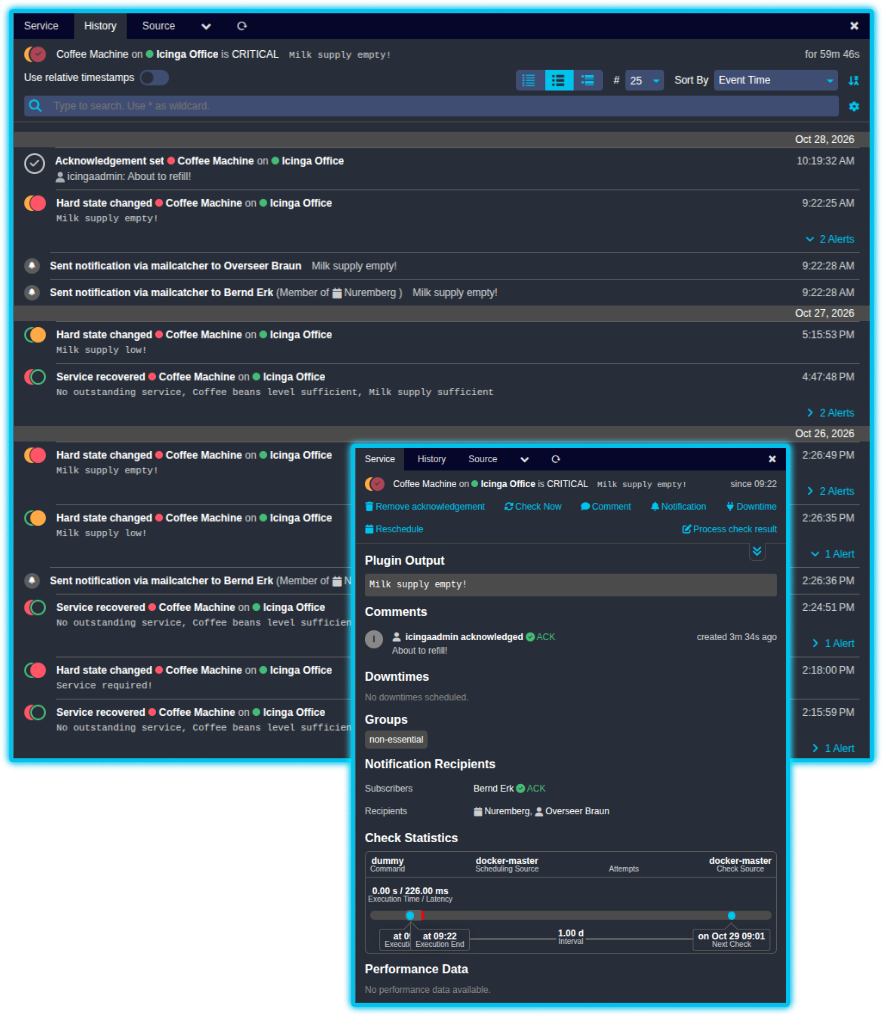
Every team handles incidents differently. Icinga Notifications adapts to the way you work, so you don’t have to adapt to the tool. Icinga Web gives it a menu of its own, where you reach incidents, history, event rules, schedules, contacts and contact groups.
Choose How You Get Notified
Reach your contacts where they are. Email and webhooks work out of the box, and the new Telegram channel adds a popular chat option. Channels also report whether a notification arrived. As a result, you know if a message got lost.
Keep Track of Every Incident
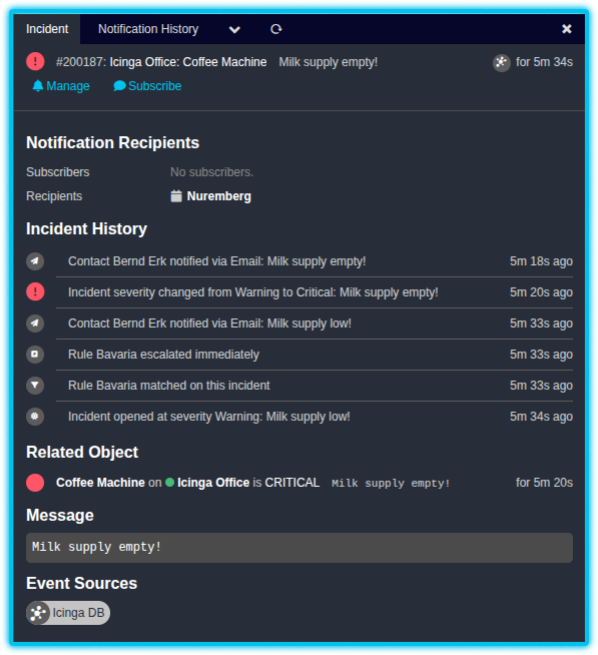
Whenever a problem occurs, Icinga Notifications opens an incident and follows it until it is resolved. The incident view shows who got notified and why. You can also see who subscribed to updates. Besides that, you can take over an incident or subscribe to it with a single click. Afterwards, a history lists every notification that was sent.
Ready for Production
Version 1.0.0 brings the stability you expect from a notification system. It runs in highly available setups, so a single failing node doesn’t silence your alerts. Moreover, a versioned API and secure connections make it a safe base for the future.
Reach the Right Person at the Right Time
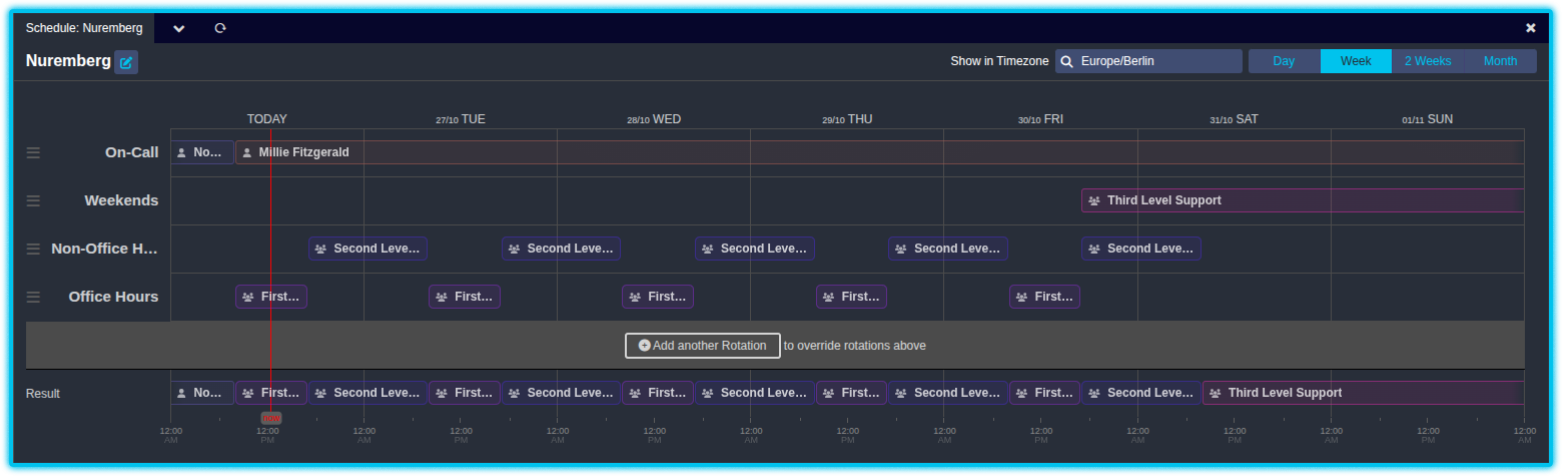
Define who is on call with schedules. Each schedule can contain several rotations, for example for office hours, nights and weekends. Icinga Notifications combines them into one overview and shows it in the timezone you choose, so distributed teams stay in sync. In addition, you can group contacts and escalate to more people if nobody reacts. Therefore, every problem reaches the person who is on call right now.
Integrated With the Icinga You Know
Icinga Notifications works best together with the rest of the Icinga family, and this release improves that teamwork.
- Icinga DB and Icinga DB Web. Icinga DB sends your events to Icinga Notifications. In Icinga DB Web, you can set up the connection with one click. In addition, you can subscribe to incidents and acknowledge a problem, which makes you the manager of its incident. Sent notifications also appear in the history of each host and service.
- Icinga 2. A few small adjustments in Icinga 2 help Icinga DB match its history with Icinga Notifications.
What We Release
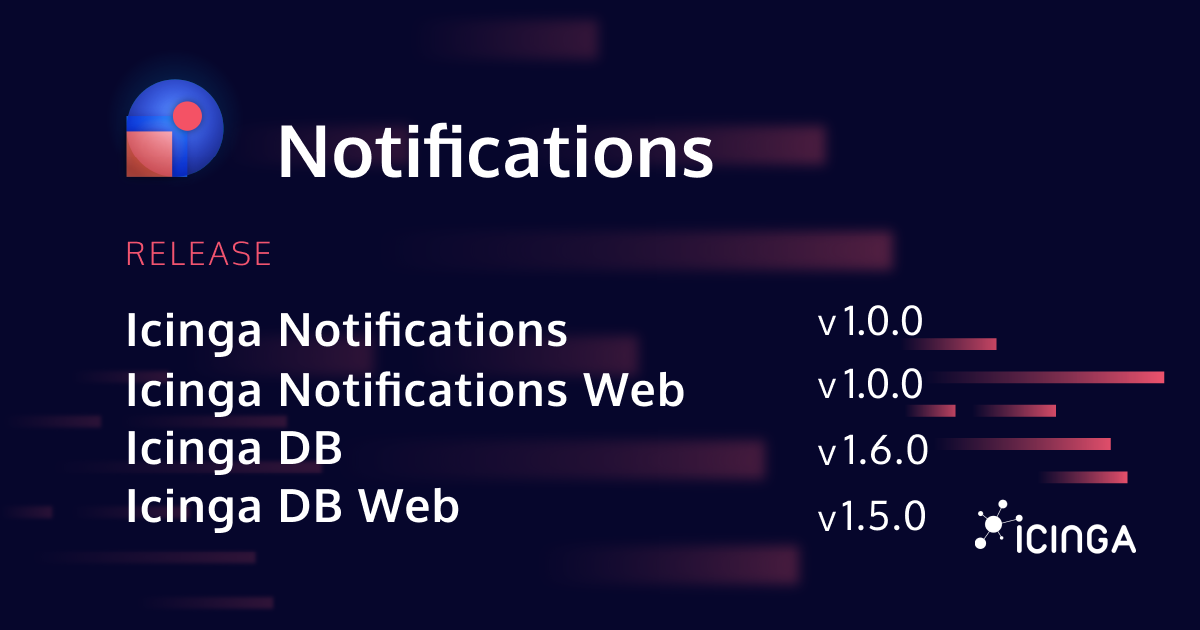
The release includes several components. Their versions are listed here, and upcoming posts will explain each one in more detail.
| Component | Version |
|---|---|
| Icinga Notifications | 1.0.0 |
| Icinga Notifications Web | 1.0.0 |
| Icinga DB | 1.6.0 |
| Icinga DB Web | 1.5.0 |
| Icinga 2 | 2.16.6 |
Updated shared libraries complete the release.
Getting Started With Icinga Notifications
Install Icinga Notifications on the same system as Icinga DB. Icinga DB talks to Icinga Notifications through a Unix domain socket by default.
-
- Install Icinga Notifications. The installation guide walks you through it.
- Install Icinga Notifications Web. This module is the administration console of Icinga Notifications. Again, the installation guide has all the details.
- Upgrade Icinga 2. Icinga Notifications needs Icinga 2 version 2.16.6 or later. The Icinga 2 release explains how.
- Upgrade Icinga DB to version 1.6.0. Upgrade as usual. You don’t have to configure anything else, the setup happens automatically in the last step.
- Upgrade Icinga DB Web to version 1.5.0. After upgrading Icinga DB, follow the configuration guide of Icinga DB Web.
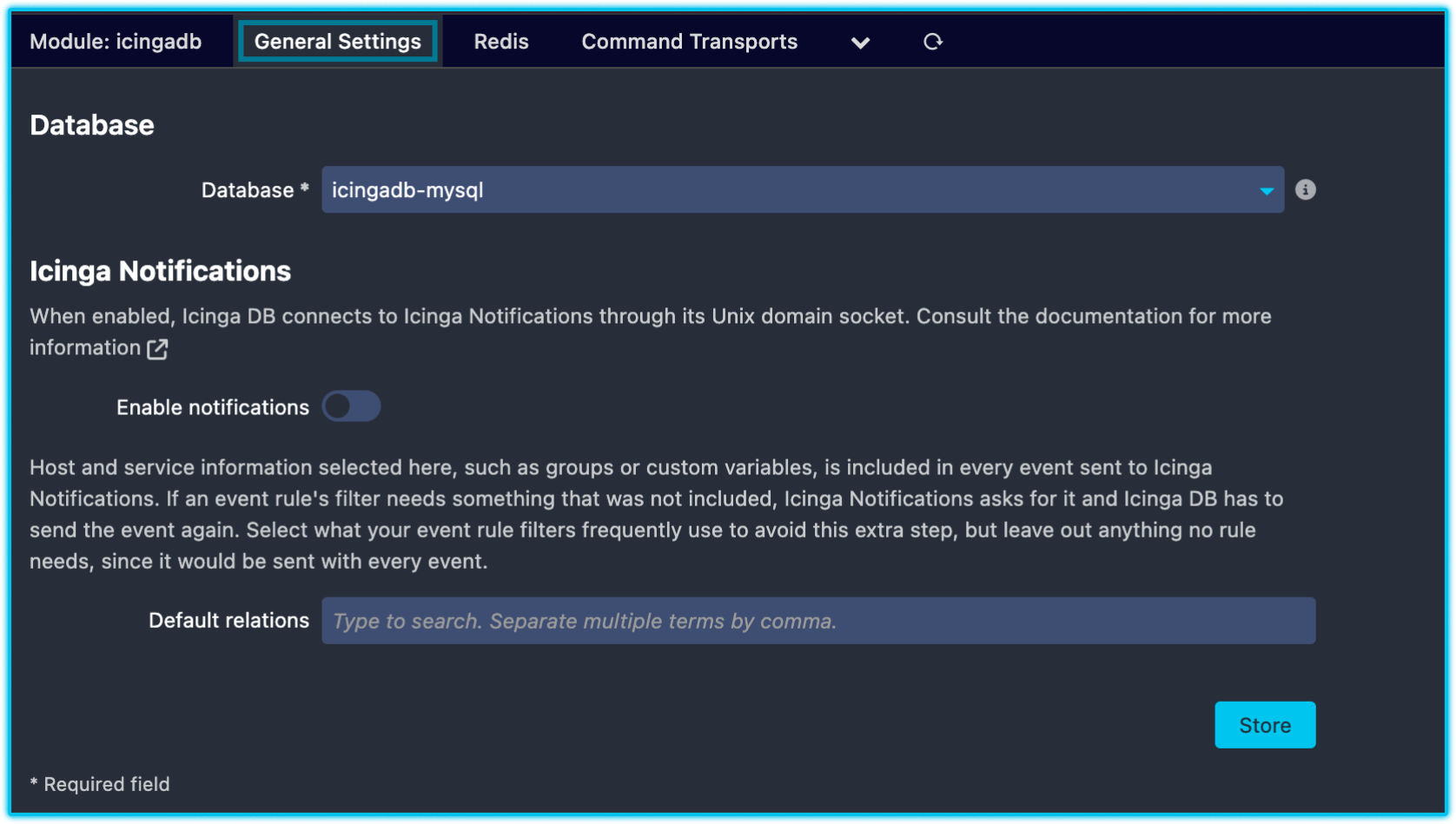
- Switch on notifications in Icinga DB Web. Once everything is up to date, open Icinga Web and go to Configuration › Modules › icingadb.
Switch to the General Settings tab, find the Icinga Notifications section and tick Enable notifications.
Save the form, and Icinga DB connects to Icinga Notifications. If the checkbox is greyed out, Icinga DB Web tells you why.
Upgrading From Version 0.2.0
Already running Icinga Notifications 0.2.0? Version 1.0.0 is a breaking release, so please follow the upgrading guide before you start:
Icinga Notifications upgrading docs
What’s Next
This post gives you the big picture. In the coming weeks, we will publish posts that explain individual components and features in more detail.
In the meantime, give Icinga Notifications 1.0.0 a try. If you run into problems or have feedback, let us know on GitHub or in the Icinga Community Forum.