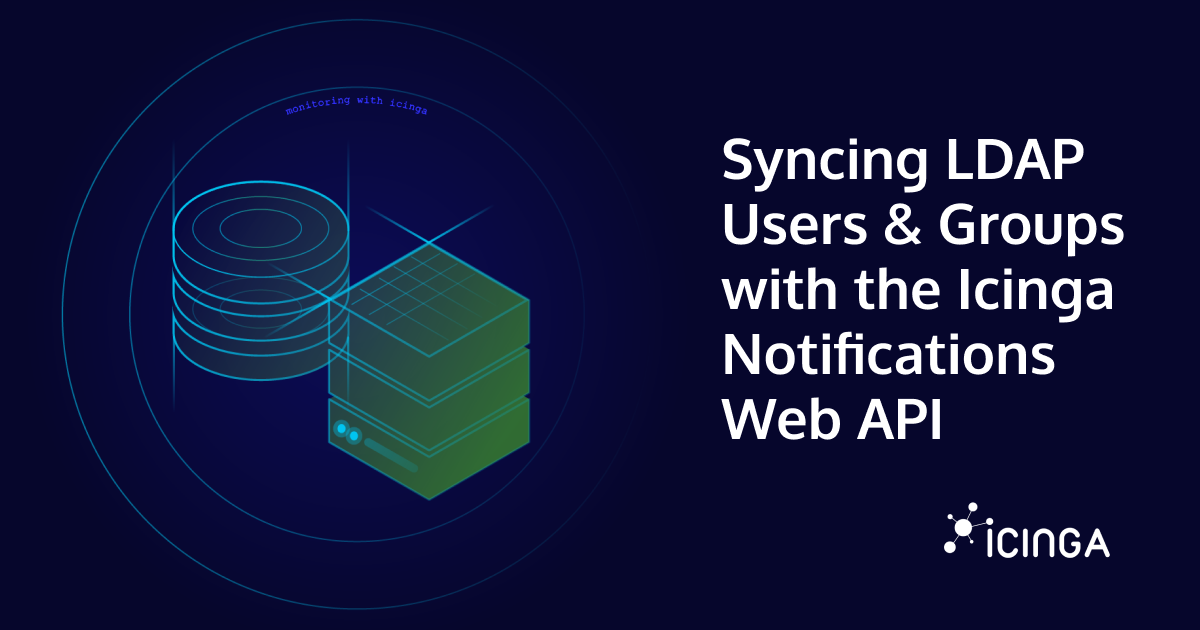
If you’re running Icinga in a mid-to-large organization, chances are your users and teams are already defined in LDAP or Active Directory. Manually re-creating contacts and contact groups in Icinga Notifications Web is tedious and error-prone, but thankfully, it doesn’t have to be that way. The Icinga Notifications Web REST API gives you everything you need to automate this synchronization. In this post, we’ll walk through how to build a reliable LDAP-to-Icinga sync using the v1 API.
What Is Icinga Notifications, Anyway?
Before we dive in, a quick primer. Icinga Notifications is a dedicated component that sits alongside your existing Icinga 2 setup and takes over the entire notification lifecycle. Rather than relying on Icinga 2’s built-in (and somewhat limited) notification system, Icinga Notifications receives state change events from your monitored infrastructure, decides whether to open an incident, and then routes alerts to the right people through the right channels: email, Rocket.Chat, webhooks, and more.
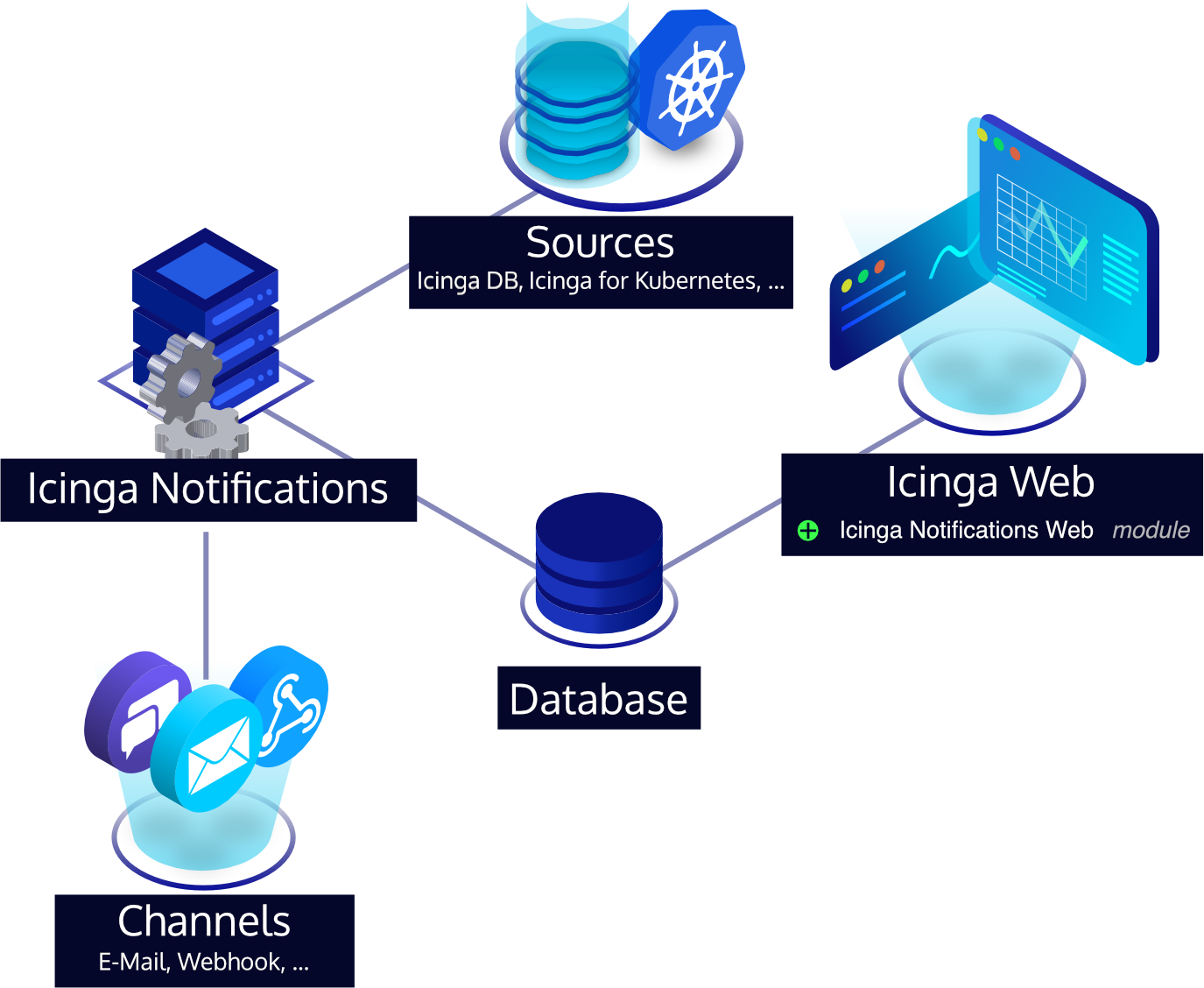
The web frontend, Icinga Notifications Web, is where all the configuration lives: contacts, contact groups, escalation rules, schedules, and channel setup. Critically for us, it also exposes a REST API that lets you manage contacts and contact groups programmatically, which is exactly the hook we need to keep things in sync with LDAP.
The Big Idea: Sync as a Reconciliation Loop
The cleanest mental model for LDAP sync is a reconciliation loop: periodically fetch the current state from both LDAP and the Icinga API, then compute the diff and apply it. This means:
- Users present in LDAP but not in Icinga → create them.
- Users present in both but with changed attributes (e.g., email) → update them.
- Users no longer in LDAP → delete them from Icinga.
- The same logic applies to group memberships.
This approach is idempotent and safe to run as a cron job or a CI/CD pipeline step.
API Basics
The Icinga Notifications Web API lives at: https://ac.me/icingaweb2/notifications/api/v1
All requests use standard HTTP verbs (GET, POST, PUT, DELETE) and speak JSON. Authentication is handled by Icinga Web 2’s existing auth stack, so you’ll use HTTP Basic Auth with a service account that has the appropriate permissions in Icinga Web 2. Always set the Content-Type: application/json and Accept: application/json headers.
The two resource types we care about for LDAP sync are:
- Contacts — individual users, each with a username, a
default_channelUUID, and one or more contact addresses (e.g., an email address used for a specific notification channel). - Contact Groups — named groups that can hold multiple contacts via a
userslist of contact UUIDs, mirroring your LDAP groups.
A Note on IDs and Deterministic UUIDs
One important requirement of the API is that every object, both contacts and groups, must carry an id field that is a UUID, and your script must provide it. The API does not auto-generate IDs for you.
The elegant solution here is to use deterministic (name-based) UUIDs via Python’s uuid.uuid5(). The idea is simple: given a fixed namespace UUID as a seed and a stable natural key (the LDAP username or group name), uuid5 always produces the same UUID for the same input. This means:
- Re-running the script never creates duplicates, the ID for jdoe will always be the same UUID.
- You don’t need to store a mapping table anywhere.
- PUT updates reliably target the right resource.
import uuid

# A fixed, arbitrary namespace UUID — just generate one once and hardcode it.
# This seeds all derived UUIDs and should never change after initial deployment.
NAMESPACE = uuid.UUID("a1b2c3d4-e5f6-7890-abcd-ef1234567890")

def contact_uuid(username: str) -> str:
    return str(uuid.uuid5(NAMESPACE, f"contact:{username}"))

def group_uuid(group_name: str) -> str:
    return str(uuid.uuid5(NAMESPACE, f"group:{group_name}"))
Note the contact: and group: prefixes in the key strings — they ensure that a username and a group name that happen to be identical still get different UUIDs.
Step 1: Resolve the Default Email Channel
Every contact in Icinga Notifications requires a default channel, the UUID of a pre-configured notification channel. Since we’re syncing users who will be notified via email, the script should look this up automatically rather than hardcoding a UUID that might change between environments.
import requests
import sys

BASE_URL = "https://ac.me/icingaweb2/notifications/api/v1"
AUTH = ("svc-icinga", "supersecret")
HEADERS = {"Accept": "application/json", "Content-Type": "application/json"}

def get_all(resource: str) -> list:
    resp = requests.get(f"{BASE_URL}/{resource}", auth=AUTH, headers=HEADERS)
    resp.raise_for_status()
    return resp.json()

def find_email_channel() -> str:
    """Fetch all channels and return the UUID of the first email-type channel."""
    channels = get_all("channels")
    for channel in channels:
        if channel.get("type") == "email":
            print(f"Using email channel: {channel['name']} ({channel['id']})")
            return channel["id"]
    # No email channel found — bail out before creating any broken contacts.
    print("ERROR: No email channel found in Icinga Notifications. Please configure one before running this sync.", file=sys.stderr)
    sys.exit(1)

EMAIL_CHANNEL_ID = find_email_channel()
Fetching this once at startup and storing it in a module-level constant keeps the rest of the script clean — every contact payload simply references EMAIL_CHANNEL_ID.
Step 2: Fetch Your LDAP Users and Groups
Using Python’s ldap3 library, pulling users and groups is straightforward. The example below queries Active Directory, but the same pattern works for OpenLDAP with adjusted filter strings.
from ldap3 import Server, Connection, ALL, SUBTREE

LDAP_SERVER = "ldap://dc.example.com"
BIND_DN = "cn=svc-icinga,ou=ServiceAccounts,dc=example,dc=com"
BIND_PASSWORD = "supersecret"
BASE_DN = "dc=example,dc=com"

server = Server(LDAP_SERVER, get_info=ALL)
conn = Connection(server, BIND_DN, BIND_PASSWORD, auto_bind=True)

# Fetch all users in the monitoring OU
conn.search(
    search_base=f"ou=Monitoring,{BASE_DN}",
    search_filter="(objectClass=user)",
    search_scope=SUBTREE,
    attributes=["sAMAccountName", "mail", "displayName", "memberOf"],
)
ldap_users = conn.entries

# Fetch all monitoring groups
conn.search(
    search_base=f"ou=MonitoringGroups,{BASE_DN}",
    search_filter="(objectClass=group)",
    search_scope=SUBTREE,
    attributes=["cn", "member"],
)
ldap_groups = conn.entries
Step 3: Read the Current State from Icinga
Before making changes, we need to know what already exists in Icinga. Indexing by the contact/group UUID (which we can deterministically re-derive) makes the diff calculation straightforward.
# Index existing contacts and groups by their UUID so we can check for existence
# without needing to store any state between runs.
existing_contact_ids = {c["id"] for c in get_all("contacts")}
existing_group_ids = {g["id"] for g in get_all("contact-groups")}
Step 4: Sync Contacts
Now we iterate over LDAP users and apply the necessary changes. We use POST to create new contacts and PUT to update existing ones. Both payloads include the full resource. Remember that PUT replaces the entire object, so every field must always be present.
def build_contact_payload(user) -> dict:
    uid = contact_uuid(str(user.sAMAccountName))
    return {
        "id": uid,
        "username": str(user.sAMAccountName),
        "full_name": str(user.displayName) if user.displayName else str(user.sAMAccountName),
        # default_channel is mandatory: the UUID of the email channel resolved at startup
        "default_channel": EMAIL_CHANNEL_ID,
        "contact_addresses": [
            {
                "type": "email", # must match the configured channel type in Icinga
                "address": str(user.mail),
            }
        ],
    }

for user in ldap_users:
    username = str(user.sAMAccountName)

    # Skip users without an email — they can't be notified anyway
    if not user.mail:
        print(f"Skipping {username}: no email address in LDAP")
        continue

    payload = build_contact_payload(user)
    uid = payload["id"]

    if uid not in existing_contact_ids:
        resp = requests.post(
            f"{BASE_URL}/contacts",
            auth=AUTH, headers=HEADERS, json=payload,
        )
        resp.raise_for_status()
        print(f"Created contact: {username} ({uid})")
    else:
        resp = requests.put(
            f"{BASE_URL}/contacts/{uid}",
            auth=AUTH, headers=HEADERS, json=payload,
        )
        resp.raise_for_status()
        print(f"Updated contact: {username} ({uid})")
Deleting Stale Contacts
Users who have left the LDAP OU should be removed. We compute which UUIDs the current LDAP set would produce and delete anything in Icinga that isn’t in that set.
ldap_contact_ids = {
    contact_uuid(str(u.sAMAccountName))
    for u in ldap_users if u.mail
}

for contact_id in existing_contact_ids:
    if contact_id not in ldap_contact_ids:
        resp = requests.delete(
            f"{BASE_URL}/contacts/{contact_id}",
            auth=AUTH, headers=HEADERS,
        )
        resp.raise_for_status()
        print(f"Deleted stale contact: {contact_id}")
Caution: Deleting a contact will also remove it from any contact groups and escalation rules it belongs to. If you have manually managed contacts in Icinga that should not be touched by the sync, maintain an exclusion set of IDs and skip them here.
Step 5: Sync Contact Groups
The same reconciliation pattern applies to groups. Note that the group payload uses a users field — a list of contact UUIDs, rather than any other name you might expect.
def build_group_payload(group) -> dict:
    gid = group_uuid(str(group.cn))

    # Resolve LDAP member DNs to deterministic Icinga contact UUIDs.
    # We derive the same UUIDs we already assigned in Step 4, so no lookup needed.
    member_uuids = []
    for member_dn in (group.member or []):
        # Extract the CN part from the DN, e.g. "CN=jdoe,OU=..." → "jdoe"
        # For production use, replace this with a proper DN parser.
        cn_part = str(member_dn).split(",")[0].replace("CN=", "")
        derived_id = contact_uuid(cn_part)
        # Only include members whose contact was actually created (had a mail address)
        if derived_id in ldap_contact_ids:
            member_uuids.append(derived_id)

    return {
        "id": gid,
        "name": str(group.cn),
        # Contact groups use "users" (not "contact_ids") to list member contact UUIDs
        "users": member_uuids,
    }

for group in ldap_groups:
    group_name = str(group.cn)
    payload = build_group_payload(group)
    gid = payload["id"]

    if gid not in existing_group_ids:
        resp = requests.post(
            f"{BASE_URL}/contact-groups",
            auth=AUTH, headers=HEADERS, json=payload,
        )
        resp.raise_for_status()
        print(f"Created group: {group_name} ({gid})")
    else:
        resp = requests.put(
            f"{BASE_URL}/contact-groups/{gid}",
            auth=AUTH, headers=HEADERS, json=payload,
        )
        resp.raise_for_status()
        print(f"Updated group: {group_name} ({gid})")
The key insight here is that because we derive group member UUIDs using the same contact_uuid() function, we never need to look up “what ID did Icinga assign to user X?” — we already know, because we assigned it deterministically in Step 4.
Deleting Stale Groups
ldap_group_ids = {group_uuid(str(g.cn)) for g in ldap_groups}

for group_id in existing_group_ids:
    if group_id not in ldap_group_ids:
        resp = requests.delete(
            f"{BASE_URL}/contact-groups/{group_id}",
            auth=AUTH, headers=HEADERS,
        )
        resp.raise_for_status()
        print(f"Deleted stale group: {group_id}")
Putting It All Together: Scheduling the Sync
A reasonable approach is to run this script as a cron job every 15–30 minutes:
*/30 * * * * /usr/bin/python3 /opt/icinga-ldap-sync/sync.py >> /var/log/icinga-ldap-sync.log 2>&1
For production use, consider wrapping the script in proper error handling with alerting on failure (ironic as it would be to have a broken notification sync go unnoticed), adding a dry-run mode that logs what *would* change without applying it, and storing the LDAP and API credentials in a secrets manager rather than a config file.
Things to Keep in Mind
- Order matters. Always sync contacts before groups, since group payloads reference contact UUIDs that must already exist in Icinga.
- PUT is a full replace. The PUT endpoints replace the entire resource, not just the fields you send. Always include all fields in your update payload, even those that haven’t changed.
- Keep your namespace UUID sacred. The deterministic UUID scheme only works if
NAMESPACEnever changes. Treat it like a database schema version — store it in your config, check it into version control, and document clearly that changing it would orphan all existing objects. - Manual overrides will be overwritten. Any contact or group that exists in both LDAP and Icinga will be fully managed by the sync script. Document this clearly for your team.
- API versioning is stable. The current API version is v1, and Icinga commits to backward compatibility within a version, so your sync script won’t silently break on Icinga Notifications Web upgrades — but do watch the changelog when upgrading.
Conclusion
Automating the synchronization of LDAP users and groups into Icinga Notifications Web is well within reach with a few dozen lines of Python. The reconciliation loop pattern — fetch, diff, apply — is robust, idempotent, and easy to extend. The deterministic UUID approach is particularly powerful: it eliminates the need for any external state, making the script self-contained and safe to run on any schedule or from any machine. Once it’s running, your on-call rotations and escalation policies in Icinga will always reflect the current state of your directory, without anyone having to remember to update two systems.