Icinga Director is a powerful tool that greatly simplifies the configuration, management, and deployment of monitoring objects in Icinga. It provides a user-friendly interface and automation features that make complex setups easier to maintain.
Occasionally, though, you may unintentionally introduce a cyclic inheritance while configuring templates.
A typical case occurs when a template imports another template that eventually imports the original one again. For example, if template A imports template B, and B imports A, this creates a loop that Icinga Director cannot resolve. When this happens, Director correctly detects the problem and reports a “Loop detected” error as shown in the example below.
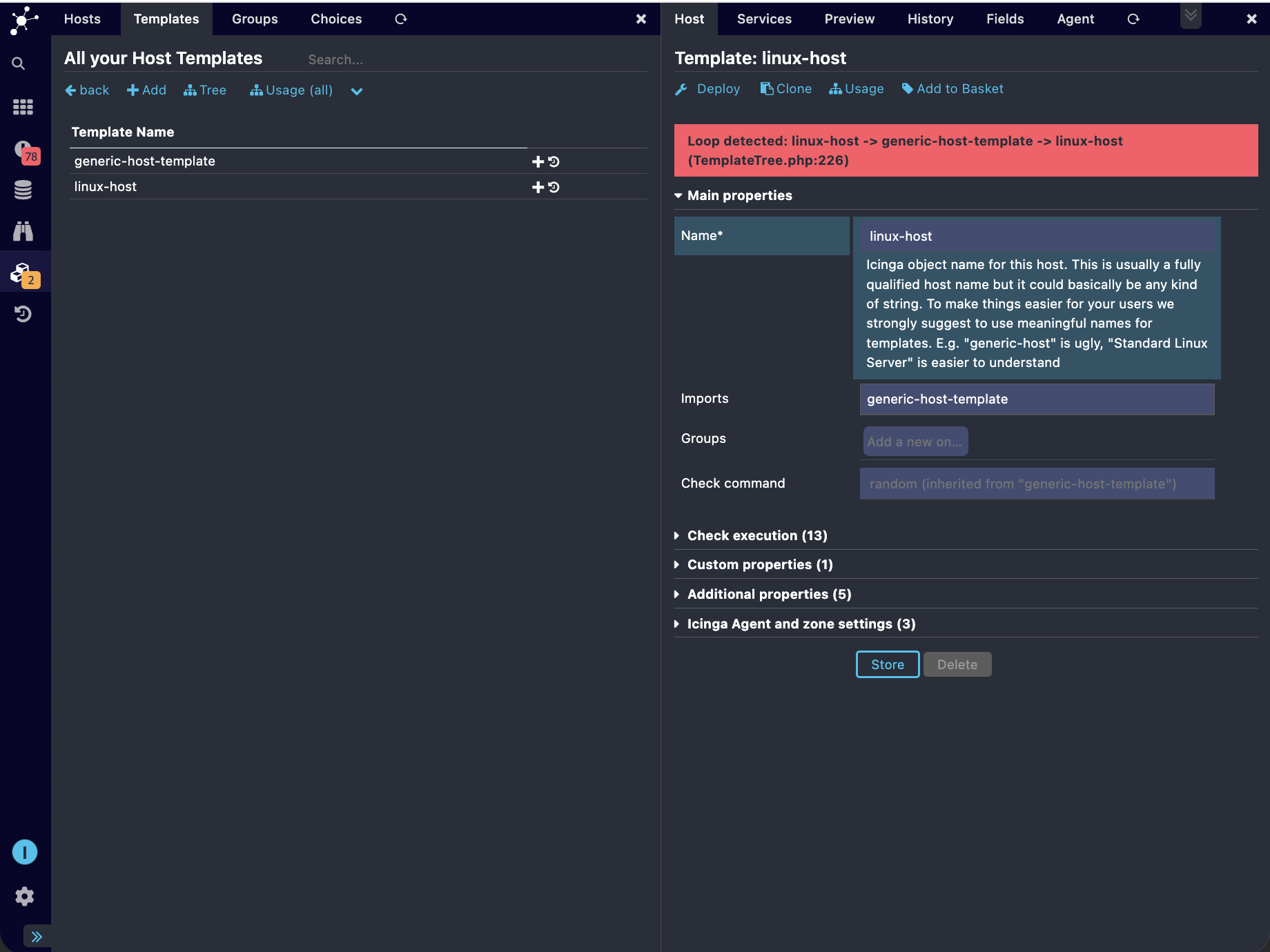
Unfortunately, once such a cycle exists, the object configuration page for the affected template may no longer load correctly, and modifying that template—and any objects that depend on it—becomes impossible through the UI.
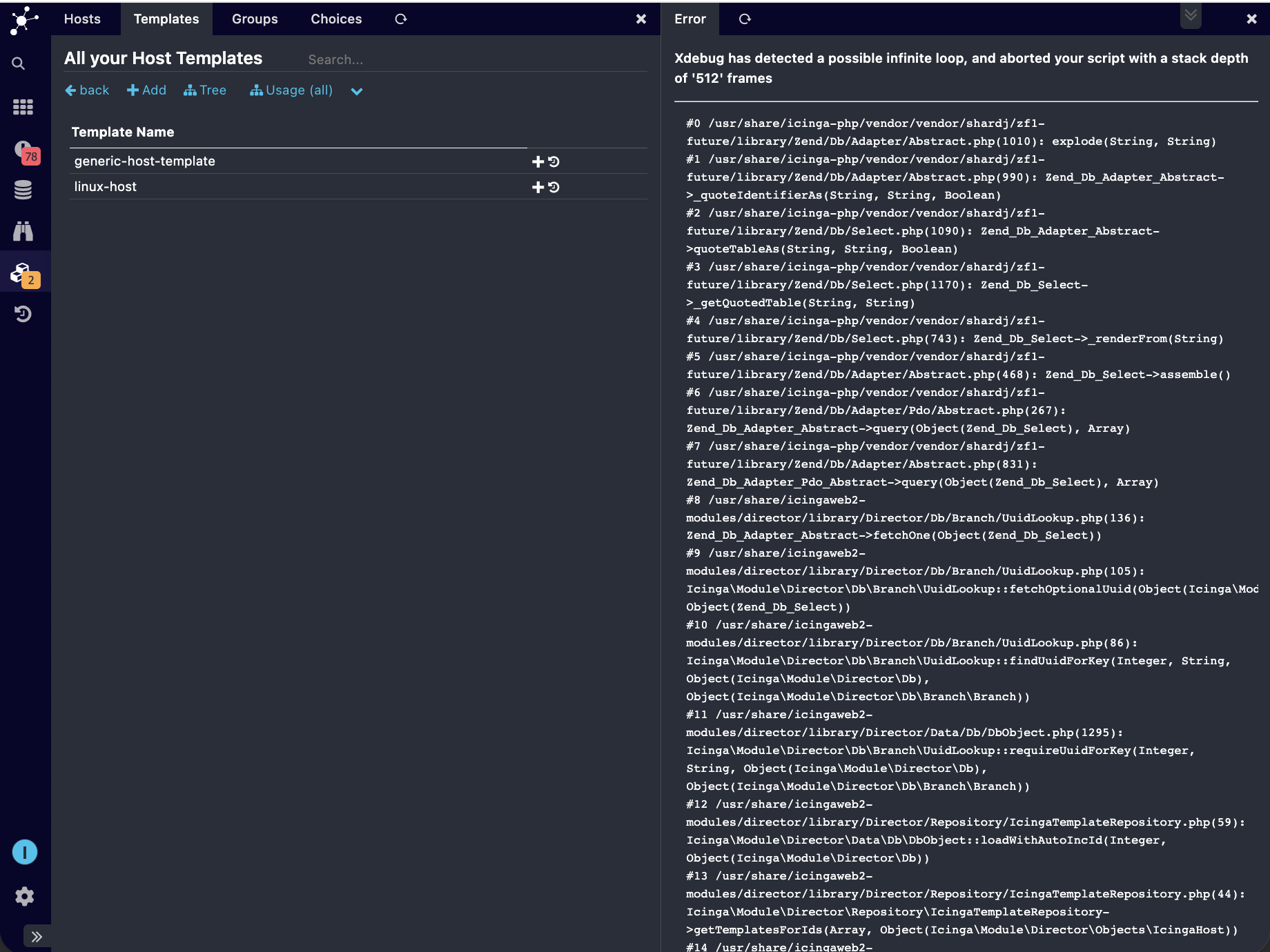
The good news is: there’s no need to panic. There are a few simple ways to resolve this situation.
I’ll walk through the process using an example: a cyclic inheritance created between the host templates linux-host → generic-host-template → linux-host. The above screenshots already shows the error caused because of this configuration.
1. Undo the Change Using the Activity Log
The first method is to simply undo the changes in the Activity Log.
- Navigate to
Icinga Director->Activity Log
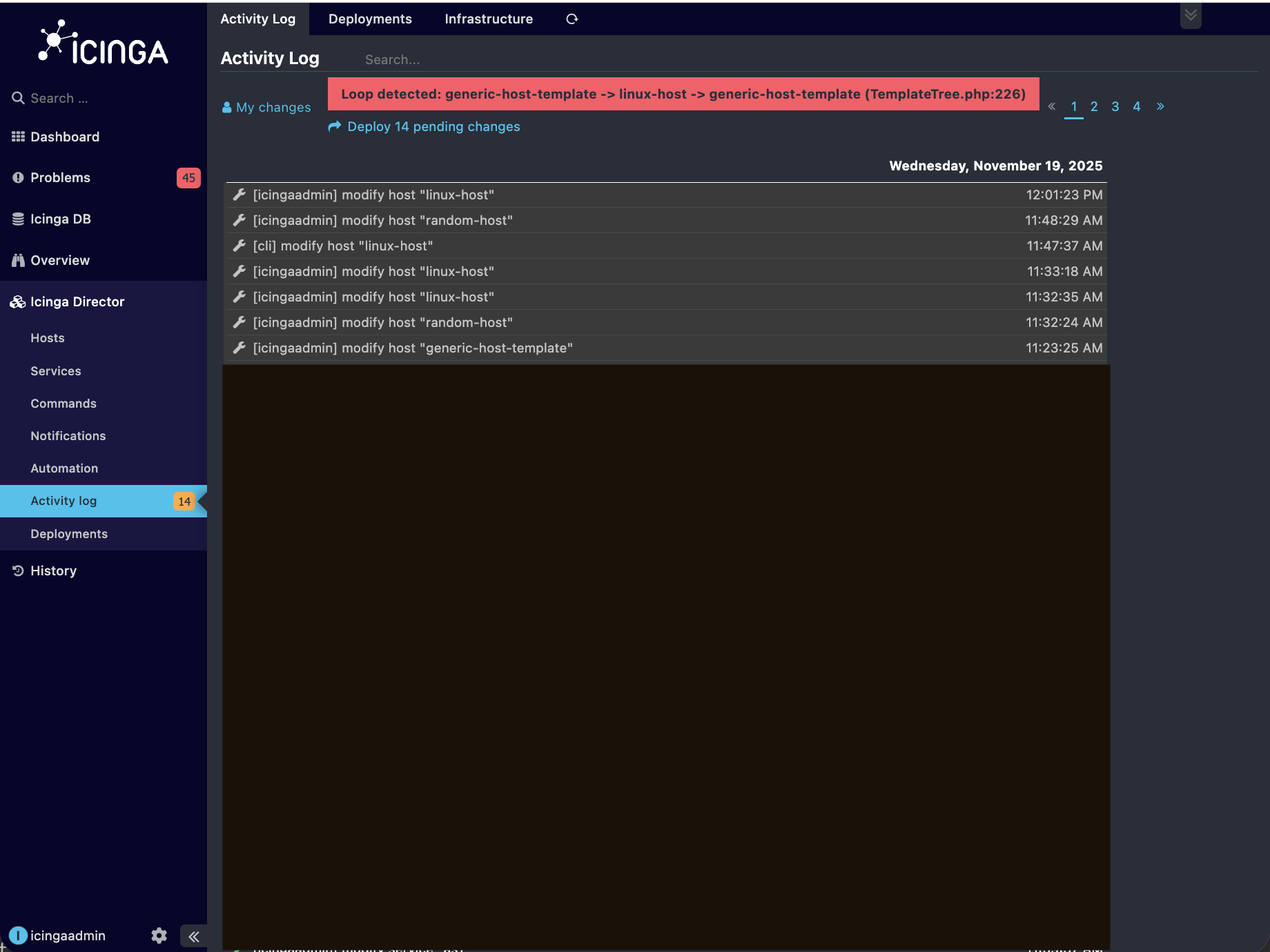
- Locate the activity entry that created the cyclic inheritance.
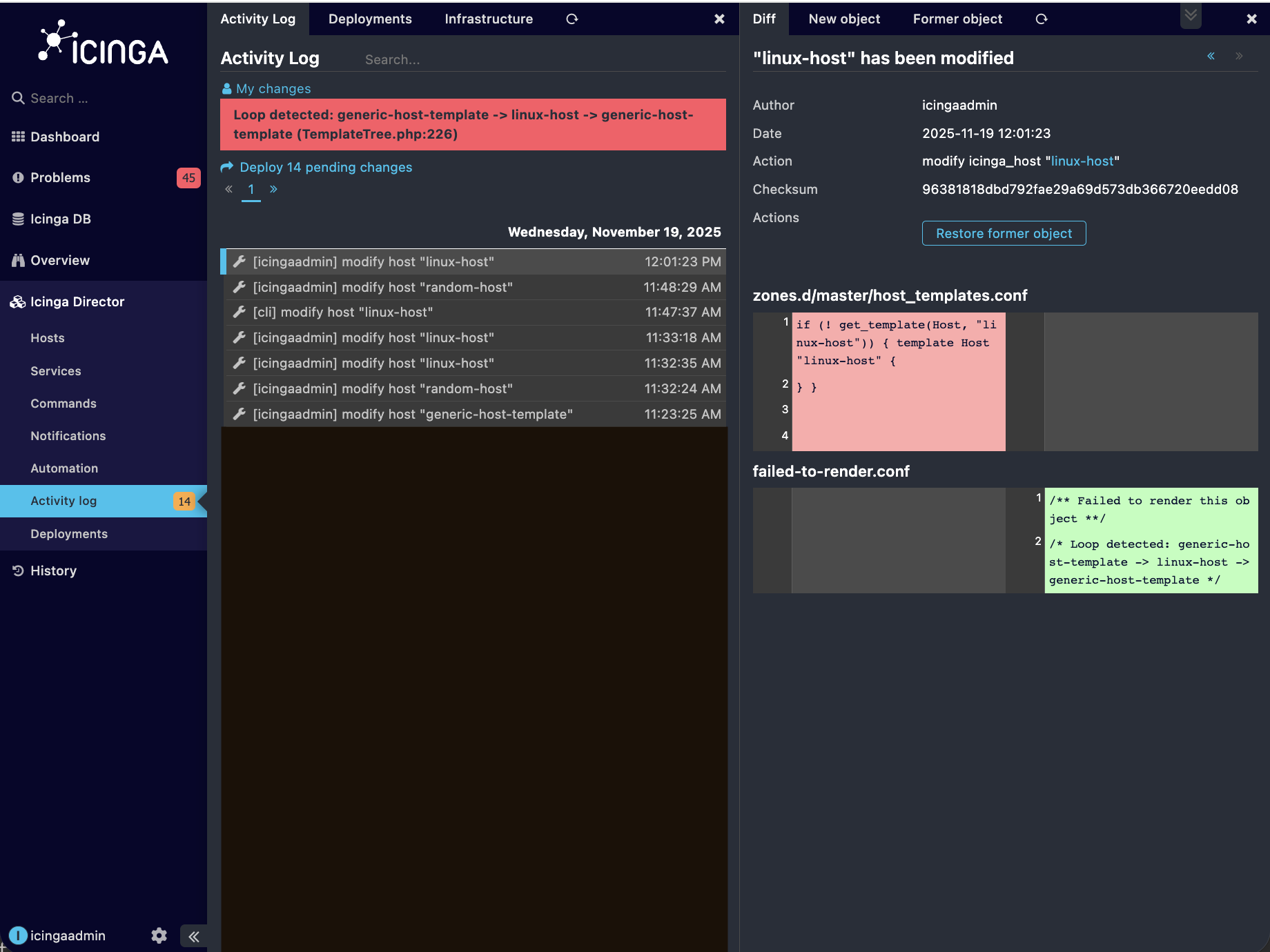
- Open it and click on
Restore former Objectin the Diff page. Despite the warning message that may appear, the previous configuration will be restored successfully. You can verify this by navigating back to the affected object.
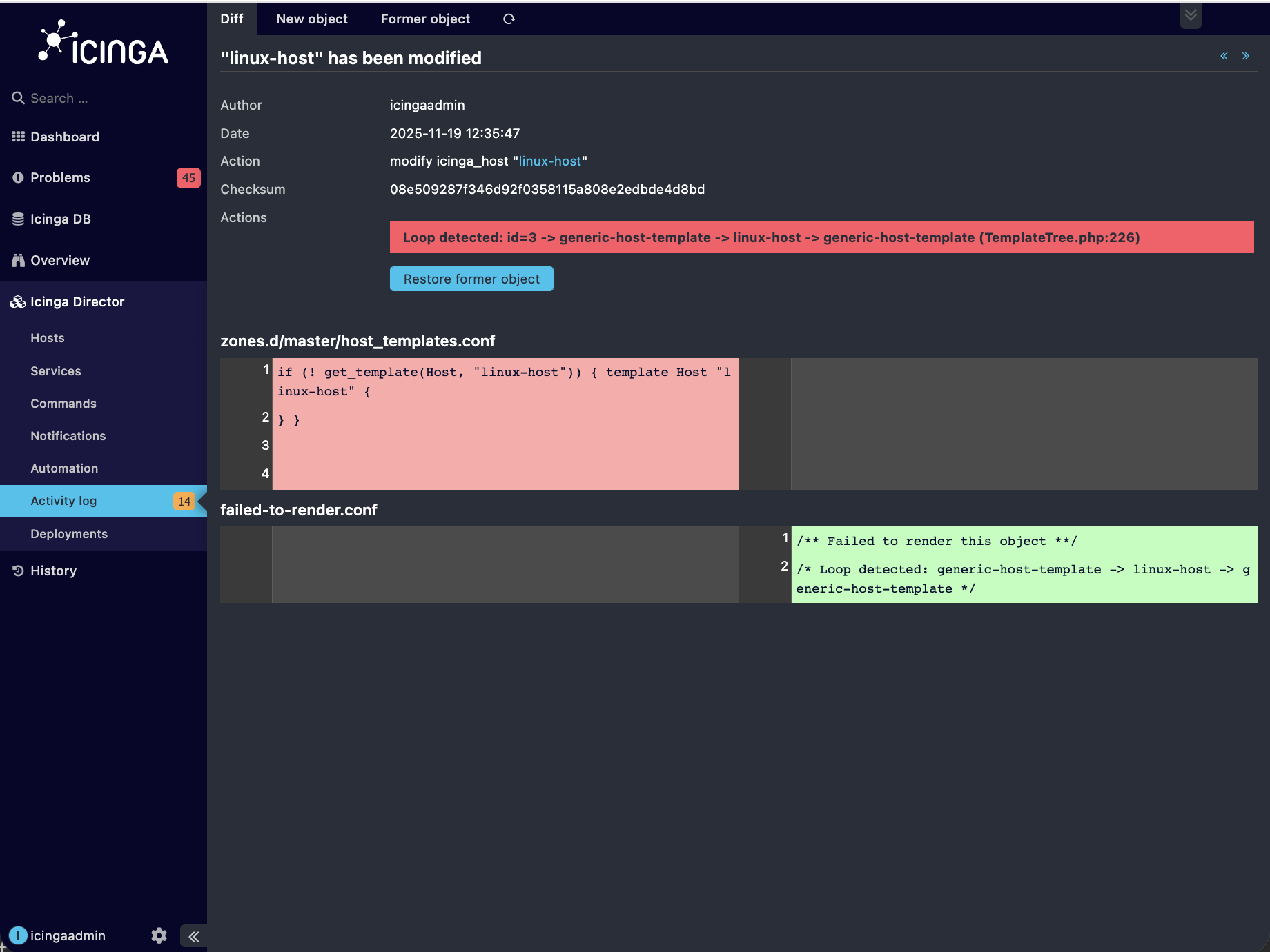
This returns the template to its earlier, valid configuration.
The downside is that all changes included in that activity log entry will be reverted, not just the cyclic import. If you want to remove only the specific problematic import, the next method is preferable.
2. Remove the Problematic Import Using the Icinga CLI (Recommended)
This is the recommended method to solve the cyclic inheritance problem. As you will only remove the imported template causing the problem. The syntax of the CLI command for the corresponding is shown below.
icingacli director <host/service> set <object-name> --remove-imports <template-name>
In my case, I can remove the cyclic inheritance in the host template linux-host by removing the template generic-host-template from its imports using the following Icinga CLI command.
icingacli director host set linux-host --remove-imports generic-host-template
After executing the command, the following error message may appear.

However, the import will still be removed successfully, breaking the cycle without affecting unrelated configuration changes.
3. (Not Recommended) Removing the Inheritance Directly in the Database
A final option is to delete the inheritance entry manually from the database tables icinga_host_inheritance or icinga_service_inheritance.
This approach works, but it is discouraged because:
-
It bypasses all validation
-
It creates no activity log entries
-
It can lead to inconsistent configurations if done incorrectly
For these reasons, this method is not covered in detail here.
Conclusion
Cyclic inheritances are best avoided, as they prevent templates from being edited and disrupt the configuration process. However, if they do occur accidentally, you can resolve them easily using the methods described above. The CLI-based approach is the cleanest and most controlled solution.
The Icinga development team is actively improving Icinga Director, and future releases may further reduce the chances of encountering such issues.