Integrating with Icinga Notifications Web
This chapter is for developers of Icinga Web modules that want to work together with Icinga Notifications, e.g.
Icinga DB Web or Icinga for Kubernetes Web. Such a module is called an integration here. It assumes you know how
to build an Icinga Web module (hooks, run.php, ipl-*), but not how Icinga Notifications Web works internally.
| Page | Content |
|---|---|
| Overview (this page) | What an integration can do, architecture, public API, prerequisites |
| Sources | Source hook, managing the source |
| Incidents | Showing and managing incidents in the integration’s own views |
| Upgrading | Migrating an integration from Icinga Notifications Web v0.2.0 to v1.0 |
If you already have an integration for v0.2.0, start with Upgrading.
What an Integration Can Do
Everything an integration does is optional. A source works without any integration, you only gain convenience for your users by providing one. The parts are independent of each other.
| Capability | What your users get | Page |
|---|---|---|
Provide a source hook (Hook\V2\SourceHook) |
Column and value suggestions and validation in the event rule filter editor, the label and icon of the source, event types for notification rules and a link to the object in incident details | Sources |
Provide a filter migration hook (Hook\V2\V1FilterMigrationHook) |
A way to convert event rule filters created before v1.0 instead of having to recreate them | Upgrading |
Manage the source (Integrations\V1\Source) |
A source that is created and kept up to date by your module, e.g. by a single toggle in its configuration | Sources |
Show and manage incidents (Integrations\V1\Incidents, Incident) |
Subscribing, unsubscribing, managing and listing recipients in your own object views | Incidents |
| Submit events (a process, not part of the module) | Incidents and notifications for your objects | HTTP API of the daemon, Consistency |
A source without a source hook also works. Its users get a plain filter editor without suggestions and validation, and
event types have to be typed in manually. Incident details only link to the object if the event carried an url.
Architecture
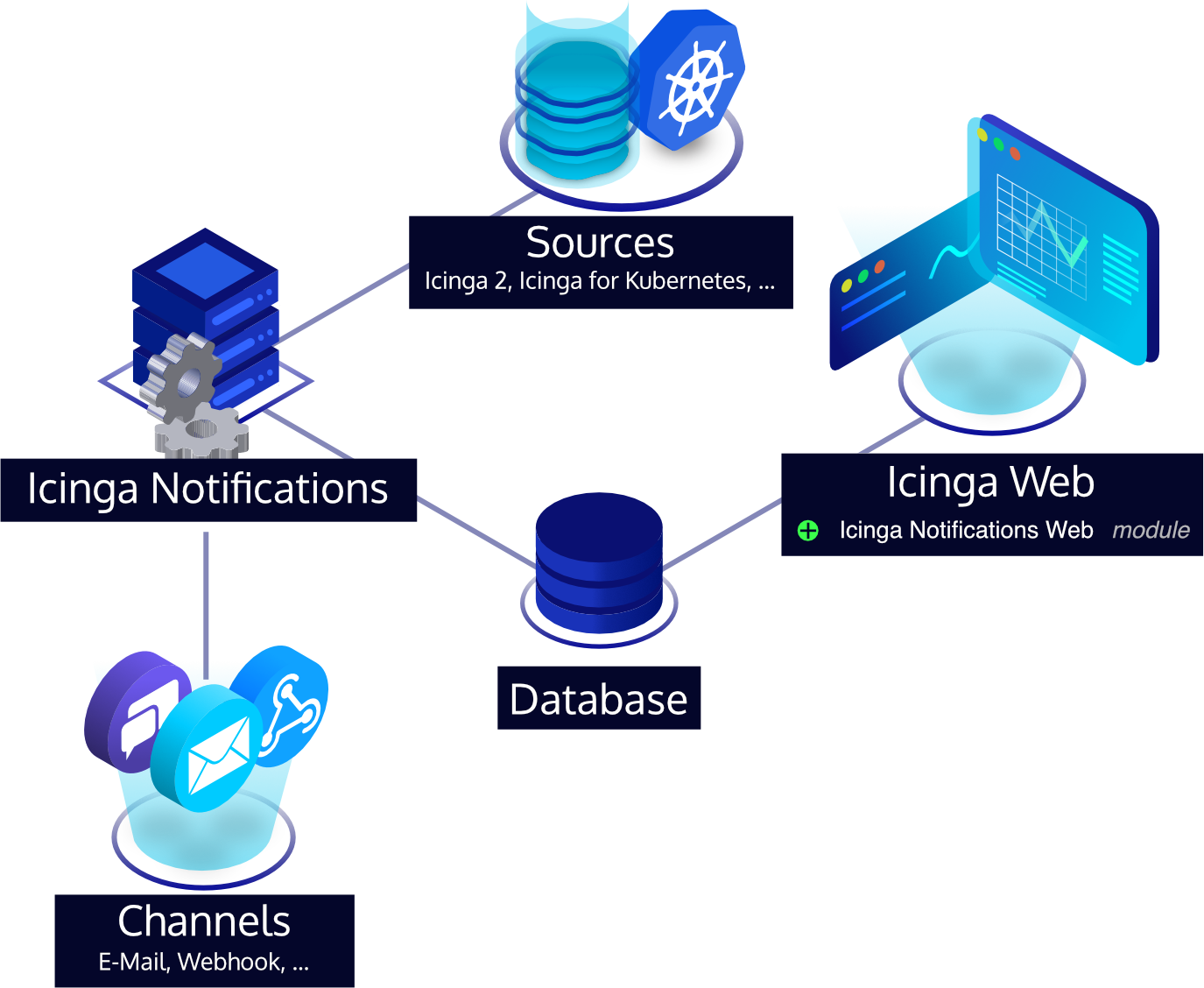
There are three parties. An integration module belongs to the web side, and usually has a source process next to it:
- The source is a process, e.g. the Icinga DB daemon. It submits events to the Icinga Notifications daemon over HTTP and is the one that has to be configured with credentials or a Unix socket.
- Icinga Notifications evaluates events against the event rules, opens incidents and sends notifications.
- Icinga Notifications Web is the configuration interface of it and the only thing your PHP code talks to. Both share the same database by which they communicate.
This has two consequences you need to keep in mind:
- What your hooks declare (columns, event types, ID tags) is only evaluated by Icinga Notifications Web, the daemon never calls into PHP. The daemon works with whatever the source submits. So both sides have to agree, see Consistency.
- Changes the integration requests through
Incidentare asynchronous. They are queued for the daemon and applied there, see Incidents.
Public API and Versioning
Warning
Class names on this page are relative to Icinga\Module\Notifications unless they are fully qualified.
Only the following is public API:
Icinga\Module\Notifications\Hook\V2\*Icinga\Module\Notifications\Integrations\V1\*Icinga\Module\Notifications\Integrations\Exception\IncidentNotFoundException
Everything else is internal and may change or disappear in any release, even though it is technically reachable
from your module. This includes the models (Model\*), Common\Database, Common\JobTracker, repositories,
forms, controllers and the database schema. Do not use them, and do not query the Notifications database
directly. If you are missing something, ask for it to be added to the public API.
Hooks and integration classes are versioned by their namespace: Hook\V2, Integrations\V1. A different version
lives in a different namespace and may exist side by side. The classes Hook\V1\SourceHook and
Hook\ObjectsRendererHook of v0.2.0 still exist but are deprecated and no longer called. Implementing them has no
effect. They are only covered in Upgrading.
Prerequisites
The Database
Icinga Notifications Web has its own database resource, configured by the administrator in
Configuration → Modules → notifications → Database. The integration classes use it implicitly. You neither configure
nor pass a connection.
If the module is enabled but no database has been configured, the first call into an Integrations\V1\* class
throws an Icinga\Exception\ConfigurationError. If the database is not reachable, you get the usual database
exceptions. Handle these where your view should degrade gracefully, e.g. by hiding the notification parts.
Permissions
Icinga Web only calls a hook if the current user has the permission module/<name> of the module that provides
the hook, unless the module registered it as always-run. For your source hook this means: a user of Icinga
Notifications Web who is allowed to edit event rules, but not to use your module, gets no suggestions and validation.
If a rule was created with the hook and the hook is not available for the user, the rule filter cannot be edited, and
the user is told to contact an administrator.
Role changes through Incident additionally require a contact in Icinga Notifications with the same username
as the Icinga Web user, see Incidents. Whether a user is
allowed to do it in your module, e.g. by a permission of your own, is up to you. Icinga DB Web has the permissions
icingadb/notifications/subscribe and icingadb/notifications/manage for this.
Consistency Between Hooks and Events
An integration has two halves. The PHP side, i.e. your hooks and the classes you call, is evaluated by Icinga Notifications Web. The source process submits events to the Icinga Notifications daemon, which never calls into PHP. Both halves describe the same objects, and nothing checks that they agree. If they do not, nothing fails loudly: rules do not match, incidents are not found, links are missing. The reference for the events is the daemon’s HTTP API documentation. This section lists what has to be the same on both sides.
| Declared in the integration | Must match what the source submits |
|---|---|
ID tags passed to Incidents::get(), getAll() and received by createObjectLink() |
The tags of the event, all of them |
Keys of getEventTypes() |
The type of incident: false events |
JSONPaths returned by getJsonPaths(), columns accepted by assertValidCondition() |
The structure of relations and complete_relations |
Source::get($username) |
The username (or OS user) the source authenticates as |
The $uuid of a role change through Incident |
The id of the corresponding event |
ID Tags
The tags of an event identify the object it is about, e.g. host and service. Icinga Notifications derives the
identity of an object from the complete set of tags, and its incidents belong to that object. This is what you work
with on the PHP side:
Incidents::get()andIncidents::getAll()require the complete set of the object, see Finding Incidents. If you leave a tag out, add one or spell a value differently, you ask for another object and find no incident.createObjectLink()receives the complete set of the object. It can rely on the tags it knows, as the source submits them.
Because of that, the tags have to be stable. If a source starts to add a tag to the events of existing objects, they
become different objects with their own incidents. Do not put anything into the tags that can change, or that differs
between sources of the same object. In a setup with several sources of the same type, e.g. one per node of a high
availability cluster, the object must have the same tags, whichever source reports it. Icinga DB, for example, uses
host, service and environment. The environment is what tells apart objects with the same name in different Icinga
environments.
Event Types
Notification rules can restrict their entries to event types. The events they apply to are those with
incident: false, which carry the type in type, as a free-form string. The keys of getEventTypes() are what users
pick from, and what is compared with type of the events:
- If a key is not what the source submits, a rule with it never matches.
- If the source submits a type that is not a key, users cannot select it, and rules that were created by typing it are marked as invalid.
Use the same names for both and keep them stable, as rules store them.
Columns, JSONPaths and Relations
Rule filters connect your hook with the events in three places:
assertValidCondition()decides which columns users can use,getJsonPaths()maps each column to JSONPaths, and- the source puts the data into the event’s
relations, a free-form JSON object that the paths are evaluated against.
A column is only useful if all three agree. These are the ways it goes wrong:
| What is wrong | What happens |
|---|---|
| You offer a column, the source never sends the data | The condition never matches, and the rule never triggers |
| The path points to another place than the data | The same. The daemon cannot find anything where the path says |
| A path is not valid JSONPath | The daemon ignores it. If none of a condition’s paths is valid, it does not load the rule at all |
The structure of relations changes in a new version of the source |
Existing rules keep the paths that were stored when they were saved. They have to be migrated or recreated |
The daemon helps with the first two: a source can ask it to reject an event and a list of the missing relations if the rules need data that the event does not contain. The source then resubmits the event with these relations added. See Incomplete Relations for when events are rejected, and how.
As a consequence, the source has to be able to produce every column your hook offers, on demand. Icinga DB, for example, sends a default set of relations with each event and adds what is missing when the daemon asks. Do not offer columns that the source cannot provide.
Listener Username
The source authenticates with a username, and the daemon identifies it by its listener username. With a password
or a TLS certificate this is the login. With a Unix socket it is the operating system user of the source’s process.
Source::get($username) looks the source up by exactly this username, see
Managing the Source. If it is not the one the source uses, you
manage a source that nobody submits events with, and the events of the real one are rejected. A
certificate subject cannot be managed with this class, only sources with a username and optional password.
Names, URLs and IDs of Events
Three more things in the events matter to the integration:
- Names: The event’s
nameis the display name of the object andsummarya single line about the event. They are shown in incident lists and details and sent to notified contacts. Use the names your own views use for the object. - URLs:
urlis optional, but if set it must be absolute, e.g.https://example.com/icingaweb2/icingadb/host?name=example, or the event is rejected. Icinga Notifications Web uses it as fallback ifcreateObjectLink()returnsnull, so it should lead to the same object as your hook’s link. - Event IDs:
idis optional but identifies an event. A resubmitted event keeps itsid, a new one gets a newid. If a role change throughIncidentstands for an event of the source, e.g. an acknowledgement, it gets the same value as$uuid, see Correlating Role Changes.